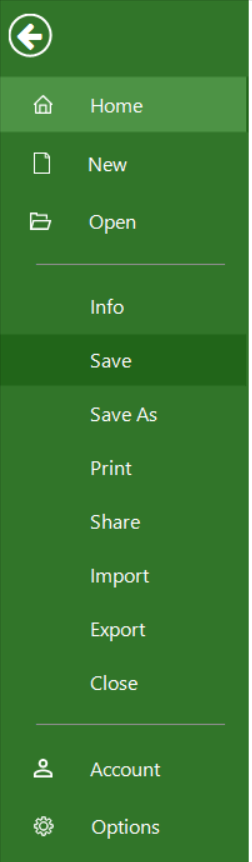
Saving a project file to your computer is similar to saving a file in any other program.
What does “Save” do?
The “Save” functionality saves the current file, in the current format.
How do I save a project?
To save a project click on File - Save. If the project you want to save is a new project file, then clicking on File – Save, will redirect you to the Save As option which will let you choose the desired method. This option is available only if the file is associated with a location on Device, Google Drive, Dropbox, Box or OneDrive, My Projects - Drive 365, Basecamp, SharePoint Online, Project Online, Project Server. If the file is associated with a location on Device, Google Drive, Dropbox, Box or OneDrive, My Projects - Drive 365, Basecamp, SharePoint Online, Project Online, Project Server, clicking on File - Save, will allow you to save the file directly in the location from which you opened it.
Are documents stored to the local machine only?
We don’t have a mechanism to control via our app where the files are saved or restrict sharing based on internal policies.
I can’t see the “Save” icon on Mac.
Please make sure you have the latest version of the application installed on your device: Download
On what clouds can I save my projects?
Our application supports saving your .MPP files in the following clouds locations: Drive 365, Google Drive, Dropbox, OneDrive, Project Online/Server, SharePoint, Box, Basecamp.
Step by step on how to save a project:
1. Go to File - Save.