


What are Recent Files?
Recent Files are files that have been opened or edited in the recent past.
How do I open a project that I recently used?
To open a project that has been recently used go to File - Open - Recent Projects.
How to clean recent files list in Project Plan 365?
To clear the Recent Files list go to menu File - Options - Advanced tab and uncheck the Recently used file list. Then, restart the application.
How do I change the number of projects that appear in my Recent Projects?
To change the number of files that appear in the list of recently used files click on File - Options - Advanced - click the number of files you want to display.
What is Recent files list?
Recent files list is a list of files that have been recently accessed.
Step by step on how to open a project recently used:
1. Click File – Open.
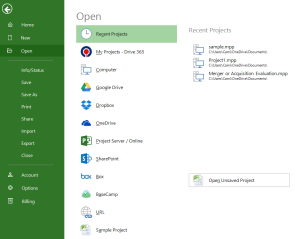
2. Select Recent Projects and select the desired project from the list.
Step by step on how to change the number of items appearing in the Recent Projects list:
1. Click File – Options – Advanced.
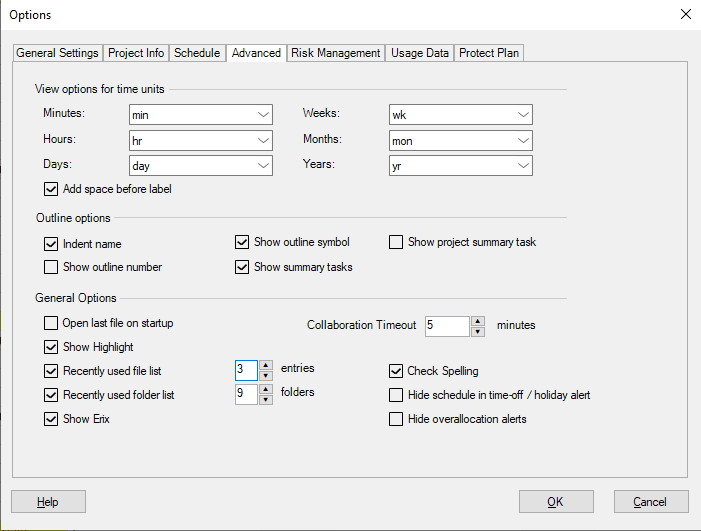
2. Make sure the Recently used file list is marked and select de desired number of entries then press OK. Restart the application.

