From Plato to Microsoft Project: Managing Projects in the Age of AI

AI & Project Management

From Plato to Microsoft Project: Managing Projects in the Age of AI

How the Theory of Forms explains the gap between your project plan and reality — and what changes when AI agents join the team.

More than 2,000 years ago, Plato proposed the Theory of Forms: the idea that what we experience in the real world is an imperfect representation of an ideal model.

That is surprisingly close to how project management works.

A Microsoft Project plan is a model of how we expect reality to unfold. We define tasks, durations, dependencies, resources, calendars, costs, milestones, and baselines. The scheduling engine calculates the resulting plan.

But the Gantt chart is not reality.
It is our model of reality.

And artificial intelligence is making the relationship between the plan and reality much more interesting.

When AI Becomes a Project Resource

Traditional Microsoft Project schedules primarily assign work to human resources and equipment.

But imagine a project containing:

Project Manager HUMAN
Software Developer HUMAN
Development Agent AI
QA Agent AI
Project Management Agent AI

Humans and AI agents can now contribute work toward the same project objective.

But they operate very differently.

A human may work eight hours per day, have an hourly cost, take vacations, and execute a limited number of assignments simultaneously.

An AI agent may operate continuously, complete some assignments in minutes, execute multiple processes concurrently, and generate costs through tokens, API calls, models, and compute.

How do we estimate, schedule, cost, assign, and track work when project resources include both humans and AI?

A new resource model for Microsoft Project

Microsoft Project already provides a useful foundation through Work, Material, and Cost resources. AI could extend this model conceptually into four categories:

The project plan can therefore evolve from describing simply who performs the work to describing what combination of human intelligence, artificial intelligence, and computational capacity performs it — and at what cost.

AI work doesn't behave like human work

Consider a task: analyze 10,000 customer conversations and identify the top 20 customer intents. A human team might require weeks. An AI agent could potentially perform the initial analysis in hours. But faster execution doesn't necessarily mean the task is complete. The AI result may require human validation and another iteration:
AI execution
Human review
Correction
Re-execution
Approval

A typical AI task cycle — not a single hand-off, but a loop.

That changes project estimation. Instead of estimating only human work hours, project managers may increasingly estimate cycles of AI execution and human validation.

AI projects add another layer of uncertainty

Building AI systems introduces its own challenge. AI development often involves experimentation:
Prepare data
Run experiment
Evaluate
Adjust
Run again

Experimentation is the default, not the exception.

A model may fail to produce an acceptable result. An agent may require different instructions. Data quality may change the entire approach. A good AI project plan should therefore represent experimentation rather than pretending every activity will succeed on its first attempt.

Microsoft Project's scheduling principles — dependencies, resources, costs, milestones, and baselines — remain valuable. What changes is the nature of the work being modeled.

From project manager to AI conductor

From project manager to AI conductor As AI performs more project work, the role of the project manager also evolves. The PM increasingly coordinates human specialists, AI agents, automated workflows, models and data, and computational resources. The project manager becomes an AI Conductor. Four skills become especially important:

Microsoft Project can provide the underlying structure through which that work is organized.

Bringing AI to Microsoft Project and MPP files

AI can also change how project managers interact with existing project schedules. Instead of manually navigating a complex plan, imagine asking:

Ask about your existing plan

You ask Erix
Why is my project late?
Which tasks threaten the deadline?
What changed from the baseline?
Which resources are overloaded?
Create a recovery plan.
Update my project from this week's status information.
Generate an executive status report from my MPP file.

Ask about delegating to AI agents

You ask Erix
Which tasks could be delegated to AI agents?
What will their execution cost?
Which AI assignments require human review?
How should I rebalance work between humans and AI?

This is the direction we are exploring at Housatonic Software with Project Plan 365 and Erix: combining AI with Microsoft Project workflows and MPP files.

The intelligent project plan

Plato distinguished between the ideal model and its imperfect manifestation in reality. Project management faces the same challenge.
The plan represents what should happen. Project execution reveals what actually happens.
AI can help continuously connect the two — analyzing the project, identifying deviations, explaining risks, recommending corrections, generating reports, and helping update the plan. The result is something more powerful than a static Gantt chart: a living model of work performed by humans and AI together. The future of AI for Microsoft Project may therefore be about much more than adding a chatbot to project-management software. It may be about creating the architecture through which organizations estimate, schedule, cost, assign, monitor, and coordinate human and AI work together.

Building the Instruments

At Housatonic, we are building the instruments and the platform that help Project Managers become better AI Conductors—through Project Plan 365 and Erix AI. Our mission is simple:

We are building AI to amplify the Project Manager.

Housatonic

Housatonic Inc.

Better data. Better decisions. Better projects.

www.projectplan365.com

From Project Manager to AI Conductor

For decades, Project Managers have been trained to accomplish results through others. We define objectives. We break complex goals into manageable work. We delegate. We review results. We correct when things don’t go according to plan. And ultimately, we take responsibility for the outcome.

Those skills are about to become even more valuable. Because our teams will increasingly include AI agents—capable of researching, estimating, scheduling, analyzing, communicating and executing work.

The AI Conductor

Like the conductor of an orchestra, the AI Conductor doesn’t need to personally play every instrument. The conductor sets the direction, brings together specialized capabilities, coordinates their work, reviews what they produce and intervenes when something isn’t right.

AI can execute. The human owns the outcome.

From Managing Teams to Conducting Them

TODAY


AI WORLD

The Five Responsibilities of the AI Conductor

1
INTENT — DEFINE
Clearly define what needs to happen and why. Set the desired outcome, constraints, milestones and what success looks like.
2
DELEGATION — ASSIGN
Break the objective into executable work and determine who—or what—should do it. Some work goes to humans. Some goes to AI agents.
3
REVIEW — INSPECT
Review the work. Is it correct? Does it satisfy the intent? Are assumptions, dependencies, risks or constraints missed?
4
CORRECTION — ADJUST
Review identifies the gap. Correction closes it. Clarify the intent, change constraints, redirect the agent, reassign work or bring in human expertise.
5
OUTCOME — OWN
AI agents may research, analyze, recommend, create and execute. But the human conductor remains accountable for the result.
Microsoft Project

Microsoft Project in the AI World

For decades, Microsoft Project and MPP files have been the foundation of serious project management. AI is changing how we create, analyze, update and report on those plans—turning the project plan into the coordination layer between human intent, AI agents and execution.

Building the Instruments

At Housatonic, we are building the instruments and the platform that help Project Managers become better AI Conductors—through Project Plan 365 and Erix AI. Our mission is simple:

We are building AI to amplify the Project Manager.

Housatonic

Housatonic Inc.

Better data. Better decisions. Better projects.

www.projectplan365.com

Avoid Project Crashes: File a Flight Plan First!

Avoid Project Crashes:

File a Flight Plan First!

By Jigs Gaton, PM / Pilot

First, let's step back 30,000 feet

We all know the drill as we start projects: pick or subserve to some PM methodology, gather your resources, erect lines of communication, etc. Agile, Waterfall, Bootcamp, Basecamp, whatever, we always begin there. But what if we are starting our projects on a wayward waypoint in the first place?

So, let's step back and look at this hypothesis; perhaps some of our projects might be crashing because our planning always starts in the wrong place. Think of this through a pilot's eyes, who instinctively knows you don't start a mission in the middle of the air... no, you always begin working far earlier than that, on the ground, even with a pre-plan for any take-off.

Continuing this analogy, in a pilot's pre-plan for the mission (think of every project as a mission), the pilot has a checklist shared between the pilot and co-pilot, and then portions are shared with the entire crew.

This project planning metaphor should be familiar if you are a PM with any experience; you are starting a new project, collecting a team, and strategizing what to do in the days (or flights) ahead.

(If not, see this article that compares pilots to project managers.)

So, let's dive into the idea of Flight Planning and compare that with what we all do when planning projects.

Where does Mission Project begin?

Sure, you might think a project begins with setting objectives, defining scopes, and clarifying goals. But in reality, these are just words to help us off the literal project runway, and truth be told, any Mission Project starts well ahead of all these fine activities.

Think of the pilot and crew the afternoon before a long-haul flight, none may have met, but all come together with one thing in mind: mission success.

Note: if a pilot or the crew feels compromised to endanger the mission's safe success, there is no penalty for declining the job (mandated by law in many countries).

In addition to this mental analogy of [pilots & crews] with [PM planners & teams], we should look at the physical tools the aviation industry deploys, but most PMs do not. The first one that comes to mind is a flight plan.

The flight plan.

All commercial aviation missions begin with a flight plan; consider starting your project with one. In this way, you are taking off from a cleared runway and not starting your project from mid-air, destined for trouble.

To a layperson, a flight plan may look like a form required by the FAA or other local authorities, but it's much more in a pilot's eyes. A flight plan for any pilot is a philosophy and a set of tools. The philosophy of the flight plan is to follow a set of actions that includes preflight, inflight, and landing checklists, as well as checklists for any emergency that modern aviation can envision.

The toolset behind a flight plan is extensive. Based on the aircraft flown (think project types), requirements, resources, and tailored checklists must be completed before any engine is switched on. These tools are modeled and taken from real-life experiences, simulators, manufacturers' specifications, and various other sources like the weather, weight on board, and fuel capacity.

The pilot and co-pilot complete and double-check the flight plan together, sometimes entering separate plans into a flight computer that double-checks the two human inputs and reports any conflicts. All of these calculations and checks lead to one question: Can mission success be safely achieved or not based on the destination? And remember, this is well before a single engine is fired up.

To complete the picture, here is a rough comparison between a flight plan and PM practices today:

Flight Plan vs. PM Plan

All variables are modeled and checked for compliance against specifications before starting.

Variables are considered ongoing risks and handled loosely.

Any change in plan is modeled in real-time (by a flight computer), and potential problems are immediately flagged with alerts sent to the pilot and co-pilot.

Changes may not be tested/modeled nor communicated to the PM or co-PM (or even with a flight control tower, or in PM terms, the PMO).

The flight continues along established waypoints, and cannot proceed unless all safety parameters are met.

Projects try to achieve arbitrary milestones and often proceed recklessly without meeting any.

Historical data is factored into the plan from the get-go.

Historical data on like projects is often unknown or not factored.

This type of plan is double-checked by a copilot with equal say in making changes and is also always communicated with flight controllers.

Plans often come down from "on high" and are developed without an independent double-check.

Inflight services...

Once in flight, or once Mission Project is safely off the ground, PMs have activities lumped into phases, sprints, and closings instead of a pilot's routine take-off, inflight, and landing procedures, yet these divisions serve the same purpose; to chunk the workload into manageable parts.

Yet more critical during these mission stages (even more than the lights displayed on the flight deck) is something called CRM, or Crew Resource Management, which often changes crew parameters and practices inflight, besides dictating normal behavior and communications. Every pilot or crew member has an HR department – inside their head!

One example of a CRM practice is the required sterile cockpit during takeoff and landings. This is when the pilot, co-pilot, and crew follow a strict protocol of keeping all chatter to a bare minimum, thus reducing the stress level during these critical moments and helping the crew execute the flight plan flawlessly. This is a feature developers of chat-based PM tools should take note of if they can.

Another example (also audible) is called a call-out within the Aviation industry. Ever wonder why pilots over radios repeat each change in the flight plan when communicating with air traffic controllers and even themselves? Because these call-outs have proven to save lives and planes from disaster! For example, you may have heard something like this in the movies when a tower is communicating with a jumbo jet: "Climb and maintain one two thousand" (climb up to and level off at 12,000 feet) with the pilot of the plane responding to the tower with the exact phrasing, "Roger that, climbing to one two thousand and maintaining."

This keeps planes from colliding on take-offs; in other words, there is confirmation and agreement between all parties on the line at the moment of decision. It is important to note that in the case of aviation call-outs, they are public so that other planes around the tower and ascending aircraft can also listen to the communication; but are respectful and keep it one way unless they have something urgent to contribute. Imagine your PMO is the control tower, you are the pilot, and your project is your mission - now you get the picture! Also, here's a shout-out to include call-outs in all PM software.

And while on the topic of tools and services, here is where the Aviation Industry flies far above what we have at our disposal as land-based PMs. They have a flight computer. And the flight computers on modern aircraft are remarkable, as they use the flight plan and constantly check progress against the plan, alerting pilots before anything goes off track. And as with any device, you can plug in new numbers and get updated results in milliseconds.

Yet here is where this metaphor becomes stretched. The variables involved in programming an Airbus or Boeing flight computer are finite compared to the number of variables in today's most complex projects. Yet, with that wide range of projects planned and executed over time, we could derive them, and predictive analysis is possible (with some margin of error). If only we had more of that, maybe our projects would not spin out of control as often as they do.

Note: Ever wonder why the airline industry has such an excellent record of success (as compared to our projects)? Then see this series of PM vs. Aviation articles.

Landing, not crashing

But even if you disagree that flying an Airbus is like landing a project on time, within budget, and with all goals achieved, you have to admit that the Airline industry has a much better record than ours, and with much less disastrous results in lost resources, wasted time and actual damage inflicted.

So perhaps even the thought of using a flight plan before project takeoff can’t hurt and possibly will prevent projects from becoming lost over some ocean, never to be heard from again. For those willing to try, here is a summary of thoughts for your next project flight plan:

  • Always make sure you start your project from the ground, and not mid-air, by stepping back 30,000 feet and examining exactly where you are – first!
  • Develop checklists based on past project performance and histories, and categorize and implement them by type of project.
  • Try to model a project’s results based on inputting historical/industrial-standard values for as many variables as possible – before taking off!
  • Use your plan to fly from one waypoint to another, ensuring all safety concerns are met before proceeding to the next.
  • Employ the latest model “flight computer” possible, to check your plan’s operating parameters in-flight and to alert you before problems arise.
  • Before taking off, always double-check your plan with a co-planner (call it a sanity check) and also share that planning with your PMO.
  • Even before assembling your team, consider the mental state of all involved. And during the mission, also be aware of cognitive problems such as bias, workload stress and other human-factor problems that arise within all hard-working teams.

Final (destination) thought…

So, in light of the above list of recommendations and other considerations within our theoretical Mission Project, here's wishing you the best in keeping the shiny side up whenever piloting a project to success.

For more info on the latest PM “flight computer” available, see the Project Plan 365 product page to learn how advanced planning software can improve your chances of safely landing your next project!

Is It Worth the Effort?

Is It Worth the Effort?

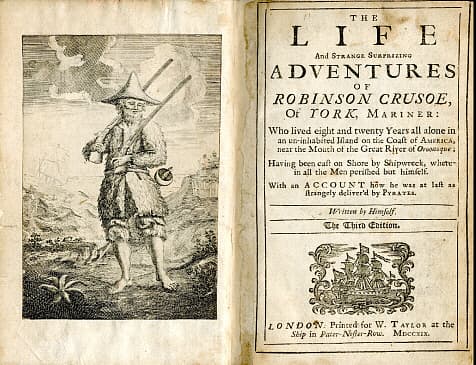
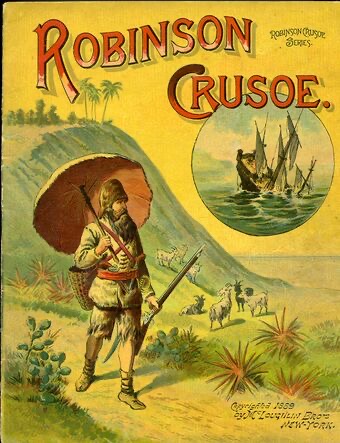
In Daniel Defoe’s novel of Robinson Crusoe and his adventures at sea, a notable quote stands out:

“[N]ow I [see], though too late, the folly of beginning a work before we count the cost, and before we judge rightly of our own strength to go through with it.”

Judging from the quote, there appears to be a point of no return in everything we do- our project endeavors included. As the S-Curve of “Cost” as it relates to “Time” ramps up the steep incline during project execution, we must ask ourselves: will it be worth the Effort?

Take an analogous jungle survival story:

Should a 300lbs lion burn 500 calories chasing a small rabbit that will give him only 100 calories in return? Of course, the answer is no. This reward is clearly not worth the Effort. Why is it then that you will never turn on Animal Planet and see such a lion act in this way, but you often hear of small businesses (90%) that fail in the first year and projects (80%) failing overall?

Common in the field of project management are the phases of project initiation and project planning which involve a Go/No Go decision template. It is one thing to make decisions before things begin to pick up, but what happens after we decide to Go and realize along the way it is not worth the Effort? Well, this when jungle-like survival skills must kick in.

Before anything else, you as a project manager must recognize and admit things are not going as planned. Then, you must act fast before is too late. If you find yourself in this position, begin by returning to your baseline assumption cost. What was it? You can easily name this “Day One Initial Estimate” and, you can usually assign a number (for example, $1 million).

Next, let’s consider your initial consideration of Total Estimated Effort for the work. What did you think the project would look like when finished based on the Effort? Here, my friends, is the tricky part... you didn’t consider this and that is why you are facing a problem. Had you known the Total Estimated Effort, you wouldn’t be reading this article and would be doing more enjoyable things with your time right now.

What I suggest at this point is you deal with Hope. Hope is your best friend and worst enemy. That is to say, you know there is a problem, but you Hope everything will be okay, right? Here, an additional lesson can be applied from Robinson Crusoe’s adventures- A lesson that I find to be magic put into practice:

 “Today we love what tomorrow we hate.”

 We tend to Hope for more happy days in our planning and wish that tomorrow too there will be a good day, but it doesn't always happen. Therefore, Hope should be a set for an exact period of time where you expect to see some specific positive results. 

 For example, if I take a pill for 5 days I Hope to see my fever decrease from 102 to 98 in about 5 days. Hope may prove positive or… maybe I die. Who knows? 

Unlike a pill, we sometimes know there is barely any Hope, but we still try for that 1% chance. This is part of our innate decision making process that we cannot help but do (at least until AI takes over).

So, let’s define our Hope Period and Hope Target to try and determine if Hope assumptions will come true or prove to be false. You’ve got your project started, you are excited, everybody is on fire, budgets are approved, there are successful kick off meetings… now is exactly the time to be worried. Pay attention to the first 20% Effort period- it is the most critical part of your project. Add an extra 5% for the Hope Period where you can determine how much Hope you can hold onto; only then will you be in a good position to make some thorough Go/No Go decisions. And if you’re already deep into your project and all you have left is Hope, determine when Hope should be lost for the sake of your budget and team.

Don’t believe me about the importance of Hope? Google these big project failures that extended the Hope period just a little too far: The Canfranc Titanic of the Mountains project and The New South China Mall, Pearl River Delta.

Remember this: most of the project Effort understandings happen in the initial execution period, so pay close attention and the next time you begin to build your Microsoft Project, Primavera, Smartsheets, Project Plan 365 or any other project plan, add a Robinson Crusoe Milestones along the way and be prepared to answer his question:

Is it worth the Effort?

Happy Planning!