

How do I silent install the Project Plan 365 for Mac?
sudo installer -pkg "ProjectPlan_365_Mac_v.pkg" -target /
For a Silent Installation of Project Plan 365 for Mac follow these steps:
1. Locate the installable file (ProjectPlan_365_Mac_v.pkg).
2. Open the Terminal window.
3. Locate the directory where you saved the installable file.
4. Use the command: sudo installer -pkg "ProjectPlan_365_Mac_v.pkg" -target / .
How to Install Project Plan 365 for Mac without any cloud integration?
For 2025 version or older, to install Project Plan 365 for Mac without any cloud integration, use the command:sudo launchctl setenv Hous_Clouds "None" && sudo installer -pkg"ProjectPlan_365_Mac_v.pkg" -target /
For 2026 version or newer, to install Project Plan 365 for Mac without any cloud integration, use the command:sudo installer -pkg ProjectPlan_365_Mac_Version.pkg -target / && pp365-config.sh CloudGoogleDriveEnabled false CloudUrlEnabled false CloudBoxEnabled false CloudDrive365Enabled false CloudDropboxEnabled false CloudICloudEnabled false CloudOneDriveEnabled false CloudProjectServerEnabled false CloudSharePointEnabled false
How to Install Project Plan 365 for Mac without Erix chatbot?
For 2025 version or older, to install Project Plan 365 for Mac without the Erix chatbot, use the command:sudo launchctl setenv Hous_ErixEnabled No && sudo installer -pkg "ProjectPlan_365_Mac_v.pkg" -target /
For 2026 version or newer, to silently install Project Plan 365 for Mac with Erix disabled, use the command:sudo installer -pkg ProjectPlan_365_Mac_Version.pkg -target / && pp365-config.sh ErixEnabled false
How to install Project Plan 365 for Mac with selected clouds?
For 2025 version or older, to install Project Plan 365 for Mac with selected clouds, list them comma-separated, without spaces, in the Hous_Clouds parameter.
Use the command:sudo launchctl setenv Hous_Clouds "GoogleDrive,Drive365,Box" && sudo installer -pkg "ProjectPlan_365_Mac_v.pkg" -target /
This command installs Project Plan 365 for Mac with Google Drive, Drive 365 and Box.
How to install Project Plan 365 for Mac with product key?
For 2025 version or older, to install Project Plan 365 for Mac with a product key, use the command:sudo launchctl setenv Hous_ProductKey "YourKey" && sudo installer -pkg "ProjectPlan_365_Mac_v.pkg" -target /
For 2026 version or newer, to silently install Project Plan 365 for Mac with a product key, use the command:sudo installer -pkg ProjectPlan_365_Mac_Version.pkg -target / && pp365-config.sh ProductKey your_key
How to install Project Plan 365 for Mac with Google Drive cloud disabled?
For 2026 version or newer, to silently install Project Plan 365 for Mac with Google Drive cloud disabled, use the command:sudo installer -pkg ProjectPlan_365_Mac_Version.pkg -target / && pp365-config.sh CloudGoogleDriveEnabled false
How to install Project Plan 365 for Mac with URL cloud disabled?
For 2026 version or newer, to silently install Project Plan 365 for Mac with URL cloud disabled, use the command:sudo installer -pkg ProjectPlan_365_Mac_Version.pkg -target / && pp365-config.sh CloudUrlEnabled false
How to install Project Plan 365 for Mac with Box cloud disabled?
For 2026 version or newer, to silently install Project Plan 365 for Mac with Box cloud disabled, use the command:sudo installer -pkg ProjectPlan_365_Mac_Version.pkg -target / && pp365-config.sh CloudBoxEnabled false
How to install Project Plan 365 for Mac with Drive 365 cloud disabled?
For 2026 version or newer, to silently install Project Plan 365 for Mac with Drive 365 cloud disabled, use the command:sudo installer -pkg ProjectPlan_365_Mac_Version.pkg -target / && pp365-config.sh CloudDrive365Enabled false
How to install Project Plan 365 for Mac with Dropbox cloud disabled?
For 2026 version or newer, to silently install Project Plan 365 for Mac with Dropbox cloud disabled, use the command:sudo installer -pkg ProjectPlan_365_Mac_Version.pkg -target / && pp365-config.sh CloudDropboxEnabled false
How to install Project Plan 365 for Mac with iCloud disabled
For 2026 version or newer, to silently install Project Plan 365 for Mac with iCloud disabled, use the command:sudo installer -pkg ProjectPlan_365_Mac_Version.pkg -target / && pp365-config.sh CloudICloudEnabled false
How to install Project Plan 365 for Mac with OneDrive cloud disabled?
For 2026 version or newer, to silently install Project Plan 365 for Mac with OneDrive cloud disabled, use the command:sudo installer -pkg ProjectPlan_365_Mac_Version.pkg -target / && pp365-config.sh CloudOneDriveEnabled false
How to install Project Plan 365 for Mac with Project Server cloud disabled?
For 2026 version or newer, to silently install Project Plan 365 for Mac with Project Server cloud disabled, use the command:sudo installer -pkg ProjectPlan_365_Mac_Version.pkg -target / && pp365-config.sh CloudProjectServerEnabled false
How to install Project Plan 365 for Mac with SharePoint cloud disabled?
For 2026 version or newer, to silently install Project Plan 365 for Mac with SharePoint cloud disabled, use the command:sudo installer -pkg ProjectPlan_365_Mac_Version.pkg -target / && pp365-config.sh CloudSharePointEnabled false
How to install Project Plan 365 for Mac with Drive 365 cloud disabled and Erix disabled?
For 2026 version or newer, to silently install Project Plan 365 for Mac with Drive 365 cloud disabled and Erix disabled, use the command:sudo installer -pkg ProjectPlan_365_Mac_Version.pkg -target / && pp365-config.sh CloudDrive365Enabled false ErixEnabled false
How to uninstall the Project Plan 365 for Mac?
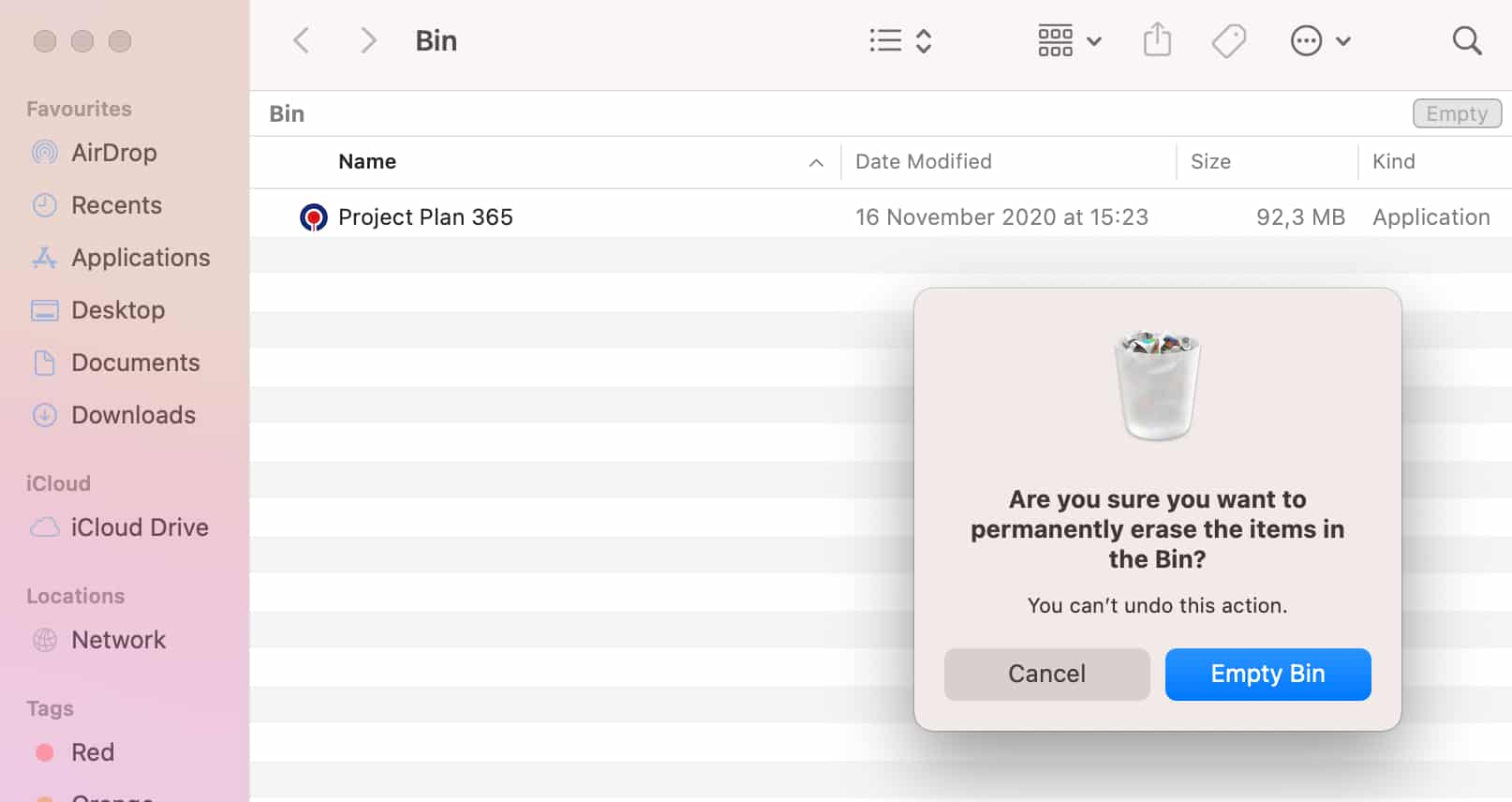
To uninstall the Plan 365 for Mac, open “Finder”, go to “Applications” and then right click on the Project Plan 365 app. Select the “Move to Bin” option. Open the “Bin” and click the “Empty” button in the upper-right corner of the window.
What is Silent install?
Silent install is an installation program that displays no dialogs after starting.
Can I prevent any data from being saved to cloud using Project Plan 365 for Mac?
For Mac platform we provide custom .pkg installer to install the app without cloud options. After the install, there will not be any options to save files to clouds. Please read the Silent Install/Uninstall for Mac article for more information.
Can I prevent any files from being opened from cloud using Project Plan 365 for Mac?
For Mac platform we provide custom .pkg installer to install the app without cloud options. After the install, there will not be any options to save files to clouds. Please read the Silent Install/Uninstall for Mac article for more information.
Step by step on how to silent install the Project Plan 365 for Mac:
1. Go to our Download page.
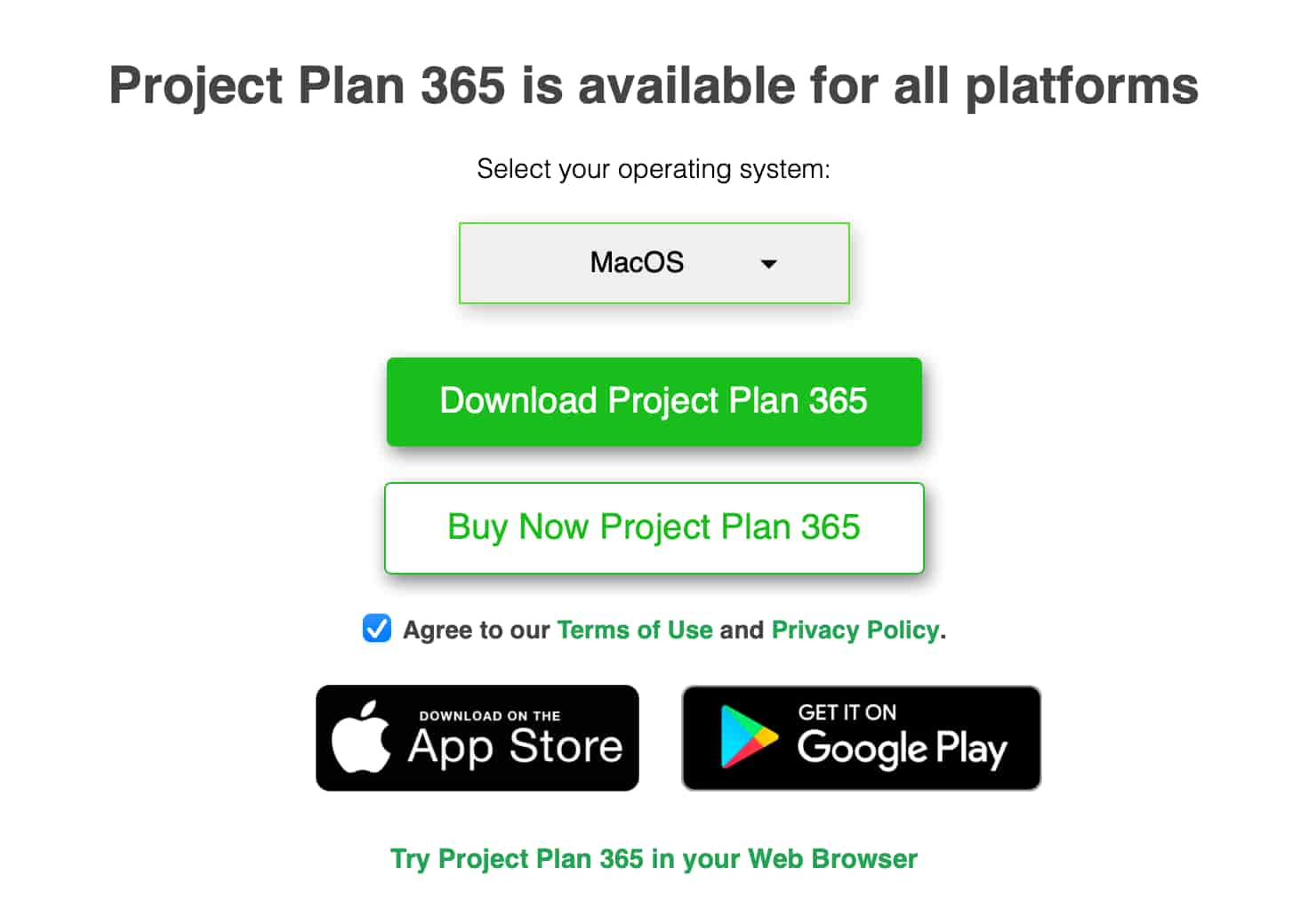
2. Select the MacOS platform and click on the Download Project Plan 365 button.
3. Save the ProjectPlan_365_Mac.pkg file to your local device.
4. Open the Terminal window and navigate to the folder where your .pkg file was saved.
5. Run the following command: sudo installer -pkg "ProjectPlan_365_Mac_v.pkg" -target /.

Note: To silently install Project Plan 365 for Mac with a product key:
For 2025 version or older, use:sudo launchctl setenv Hous_ProductKey "YourKey" && sudo installer -pkg "ProjectPlan_365_Mac_v.pkg" -target /
For 2026 version or newer, use:sudo installer -pkg ProjectPlan_365_Mac_Version.pkg -target / && pp365-config.sh ProductKey your_key
Replace Version with the version in the name of your downloaded .pkg file, and replace YourKey or your_key with your actual product key.
Step by step on how to install Project Plan 365 without any cloud integration
1. Go to our Download page.
2. Select the MacOS platform and click on the Download Project Plan 365 button.
3. Save the ProjectPlan_365_Mac.pkg file to your local device.
4. Open the Terminal window and navigate to the folder where your .pkg file was saved.
5.Run the command corresponding to your application version:
For 2025 version or older, use: sudo launchctl setenv Hous_Clouds "None" && sudo installer -pkg "ProjectPlan_365_Mac_v.pkg" -target /
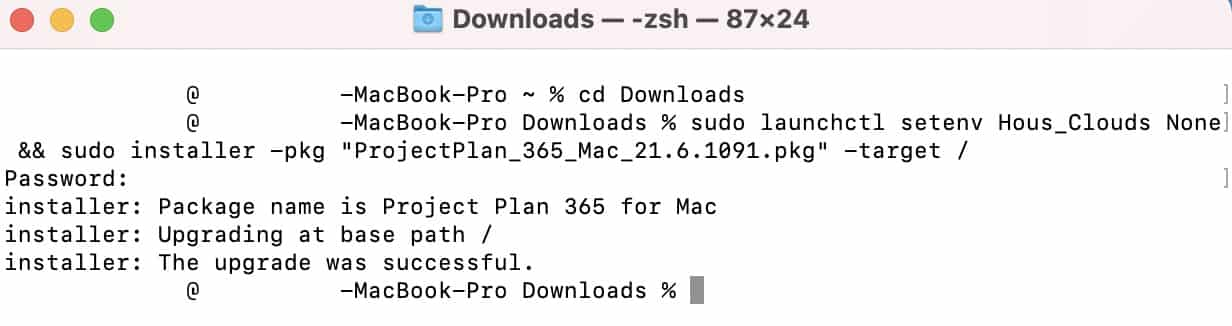
For 2026 version or newer, use: sudo installer -pkg ProjectPlan_365_Mac_Version.pkg -target / && pp365-config.sh CloudGoogleDriveEnabled false CloudUrlEnabled false CloudBoxEnabled false CloudDrive365Enabled false CloudDropboxEnabled false CloudICloudEnabled false CloudOneDriveEnabled false CloudProjectServerEnabled false CloudSharePointEnabled false
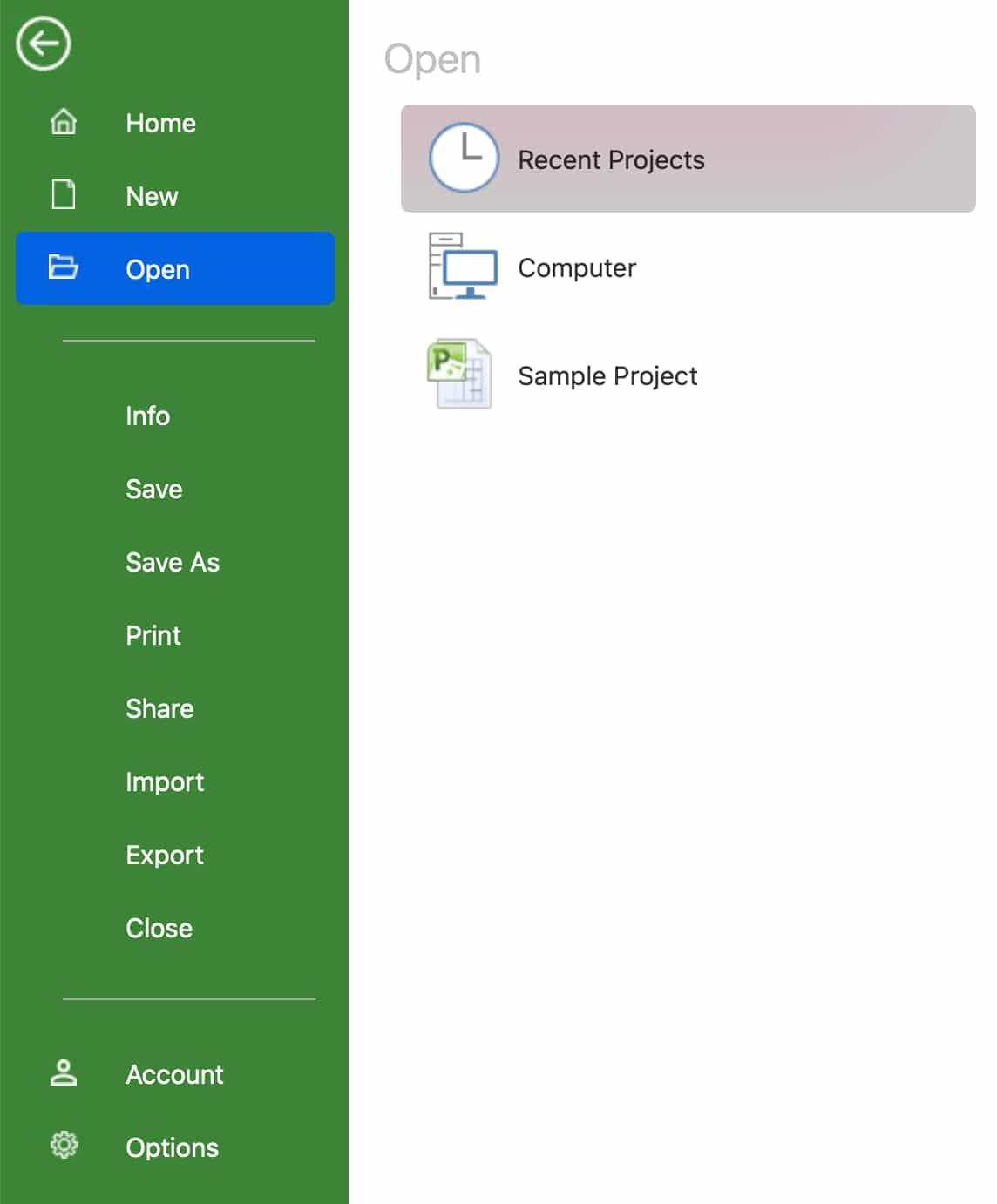
6. After the install, you will be using the app without any cloud integration.
Note: Replace Version with the version in the name of your downloaded .pkg file.
Step by step on how to install Project Plan 365 without Erix chatbot
1. Go to our Download page.
2. Select the MacOS platform and click on the Download Project Plan 365 button.
3. Save the ProjectPlan_365_Mac.pkg file to your local device.
4. Open the Terminal window and navigate to the folder where your .pkg file was saved.
5.Run the command corresponding to your application version:
For 2025 version or older, use: sudo launchctl setenv Hous_ErixEnabled No && sudo installer -pkg "ProjectPlan_365_Mac_v.pkg" -target /
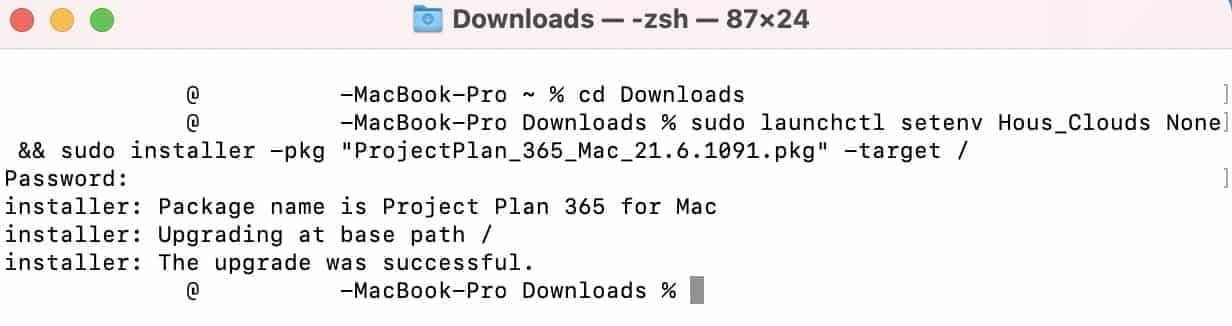
For 2026 version or newer, use: sudo installer -pkg ProjectPlan_365_Mac_Version.pkg -target / && pp365-config.sh ErixEnabled false
6. After the install, you will be using the app without Erix chatbot.
Note: Replace Version with the version in the name of your downloaded .pkg file.
Step by step on how to uninstall the Project Plan 365 for Mac:
1. Open “Finder”.
2. Go to “Applications”.
3. Right click on the Project Plan 365 app.
4. Select the “Move to Bin” option.
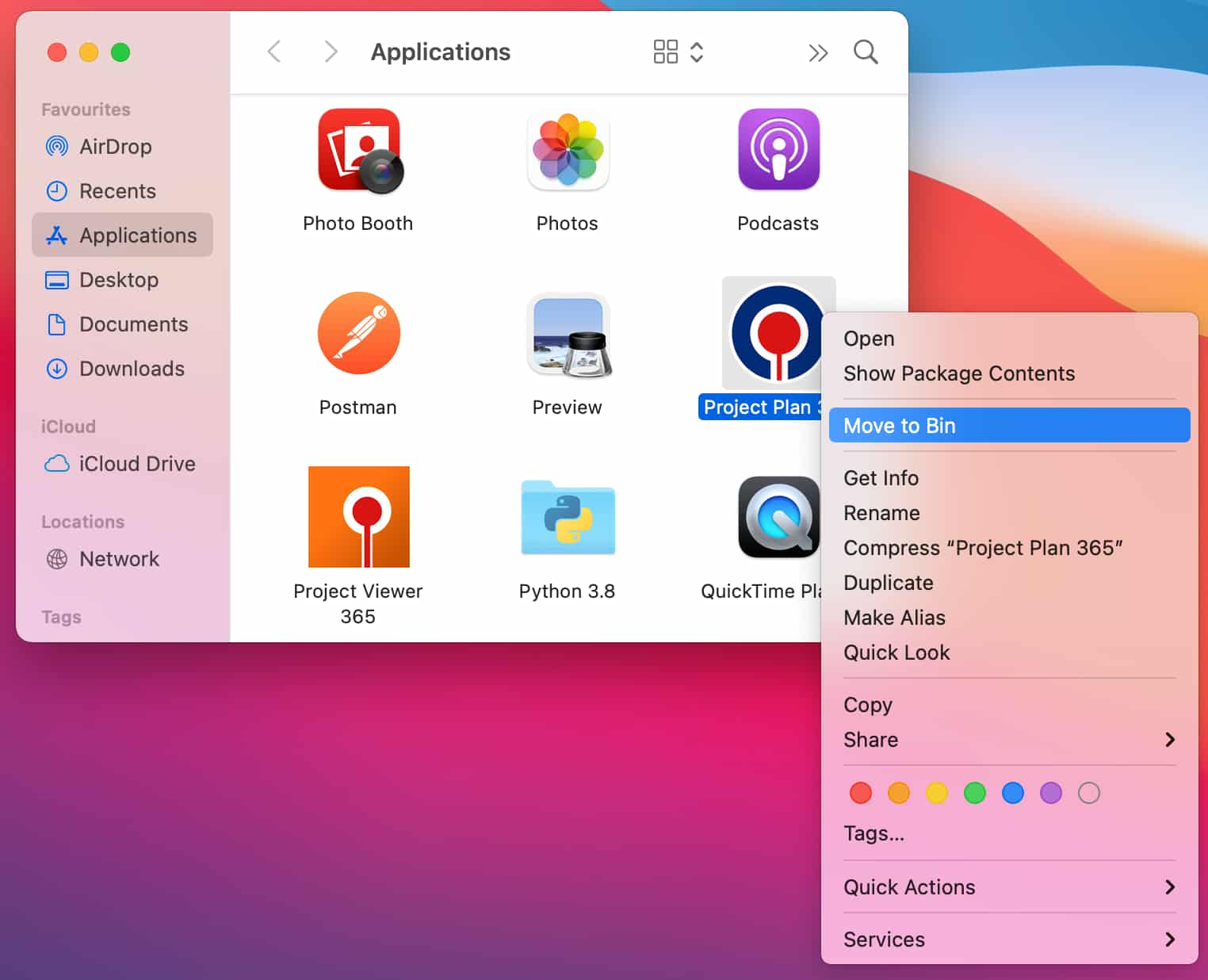
5. Open the “Bin”.
6. Click the “Empty” button in the upper-right corner of the window.